Heads Up hackathon · Track 04 AI Assistants & Work · Best Telegram integration

For Even G2

Your work. Your world.
One glance.

The next meeting, your week, the emails and Telegram messages that need you, meeting notes and speaker notes. Read it in a glance, answer in a few words, confirm with one tap.

Runs in your browser on demo data. No account, no key, nothing to install.

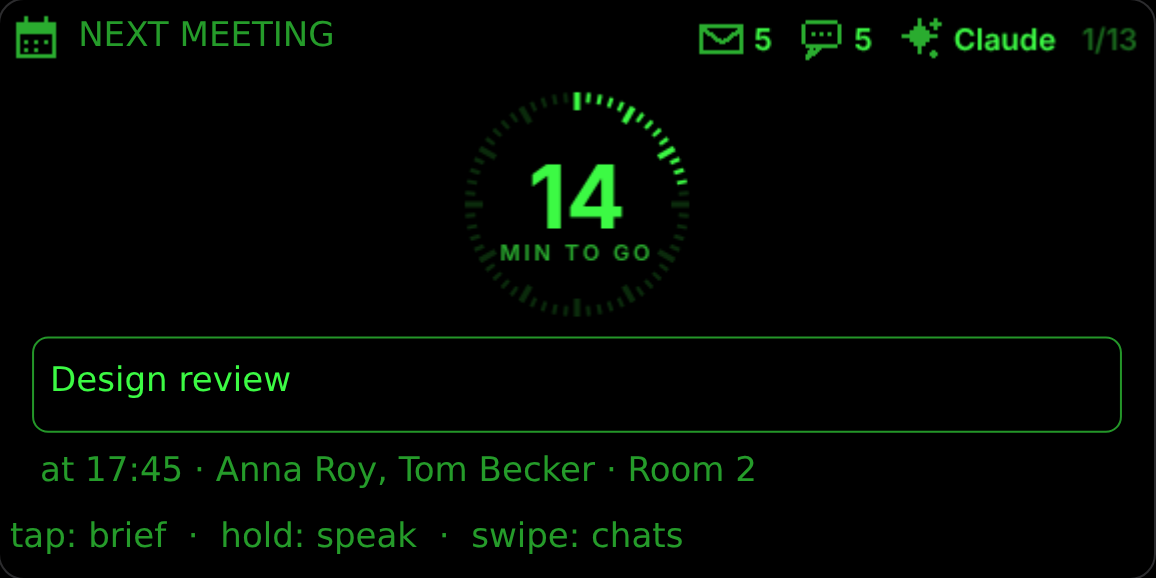
Next meeting on the G2 display
The G2 display: 576 × 288, green on see-through black.

Works with the apps you already use

Whisper-compatible transcription handles spoken commands. A Cloudflare Worker connects the wearer’s services.

Between two meetings, the phone is the wrong tool.

You take it out to see who is next, scan the work group, answer “yes, 3pm works”. Each look costs a minute and your attention in the room. Glance Desk turns each of those checks into a glance.

The scenario

A working day, phone in the bag.

Lea leads the product team at Northwind (demo data). Nine actions across seven apps, without opening a laptop. Nothing leaves without her YES, and every answer says where it came from.

  1. A glance

    08:46

    A glance

    The design review is in 14 minutes, with Anna and Tom.

    Read from Google Calendar

  2. Tap: the brief

    08:47

    Tap: the brief

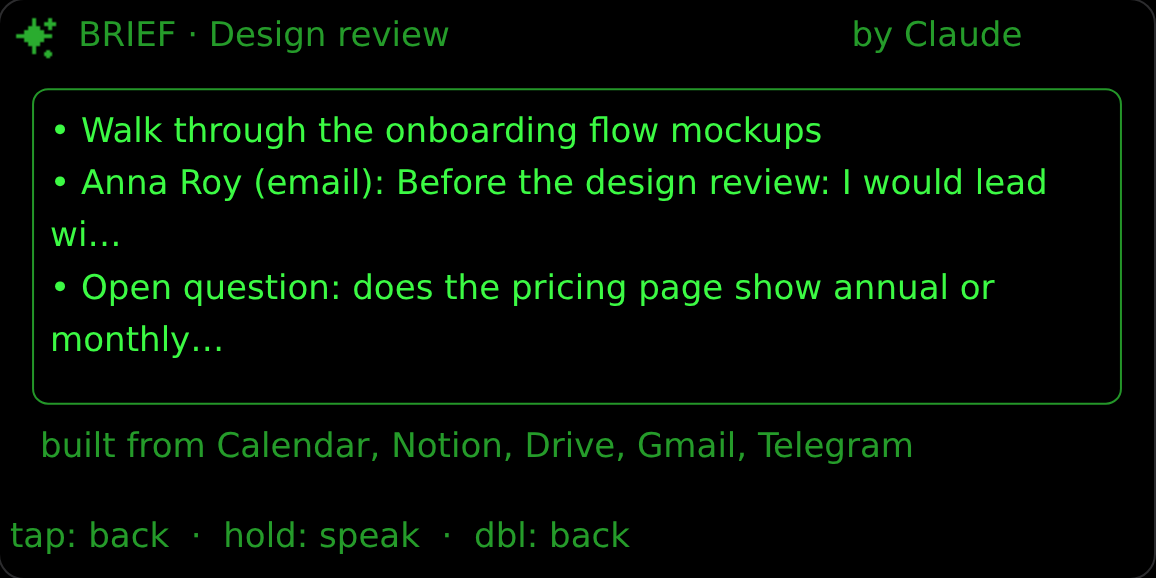
    What it is about, what Anna asked, what is still open.

    Five apps in three lines, with sources

  3. Ask

    08:48

    Ask

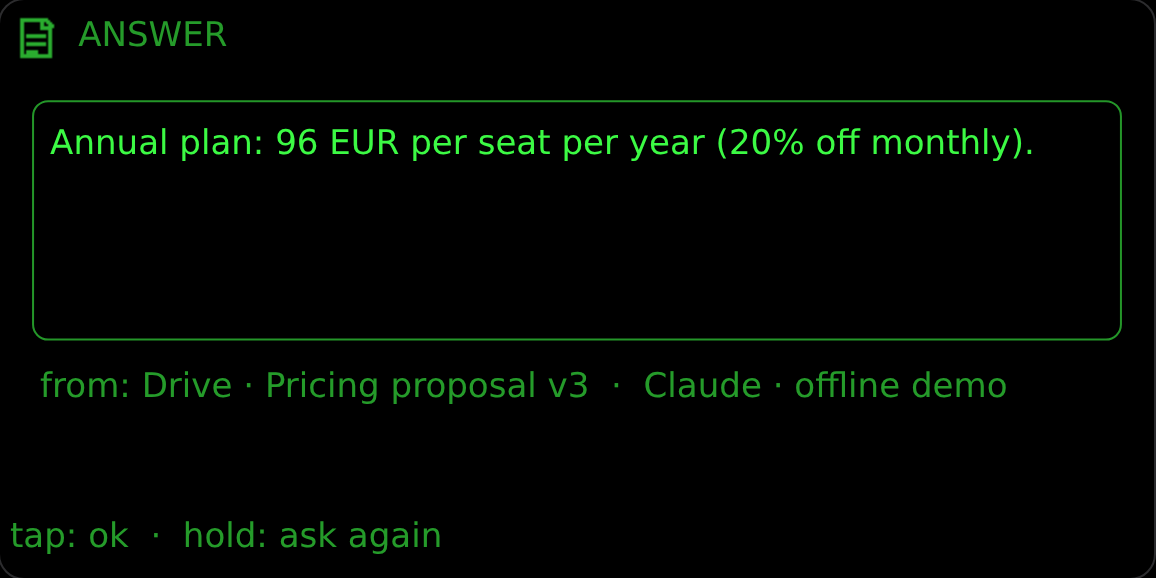
    “What is the annual price per seat?”

    Found in Pricing proposal v3. No source, no answer.

  4. Answer Anna

    08:50

    Answer Anna

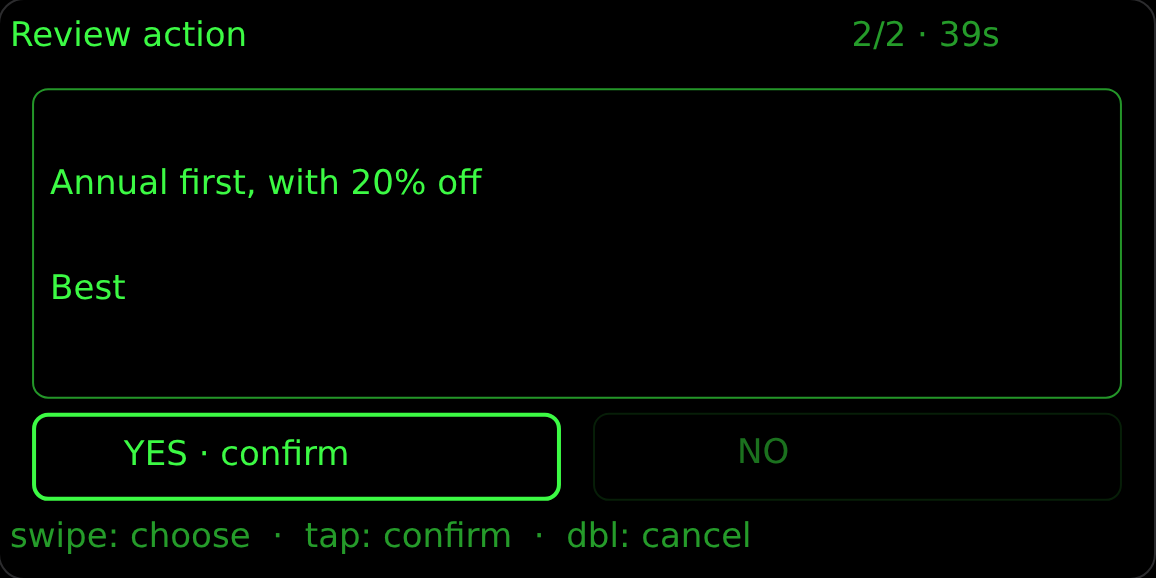
    Hold: “annual first, 20% off”. Read the draft. YES.

    Sent in the Gmail thread, receipt in Telegram

  5. Notes in the room

    09:10

    Notes in the room

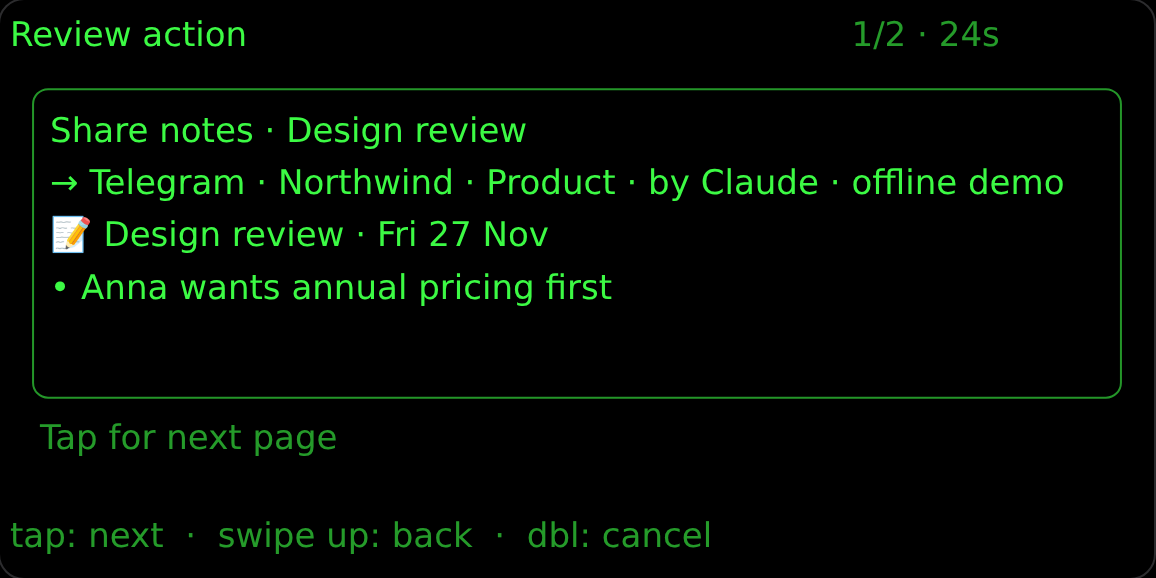
    “note: Anna wants annual pricing first”. After: “send notes to the team”.

    A summary with next steps in the team group

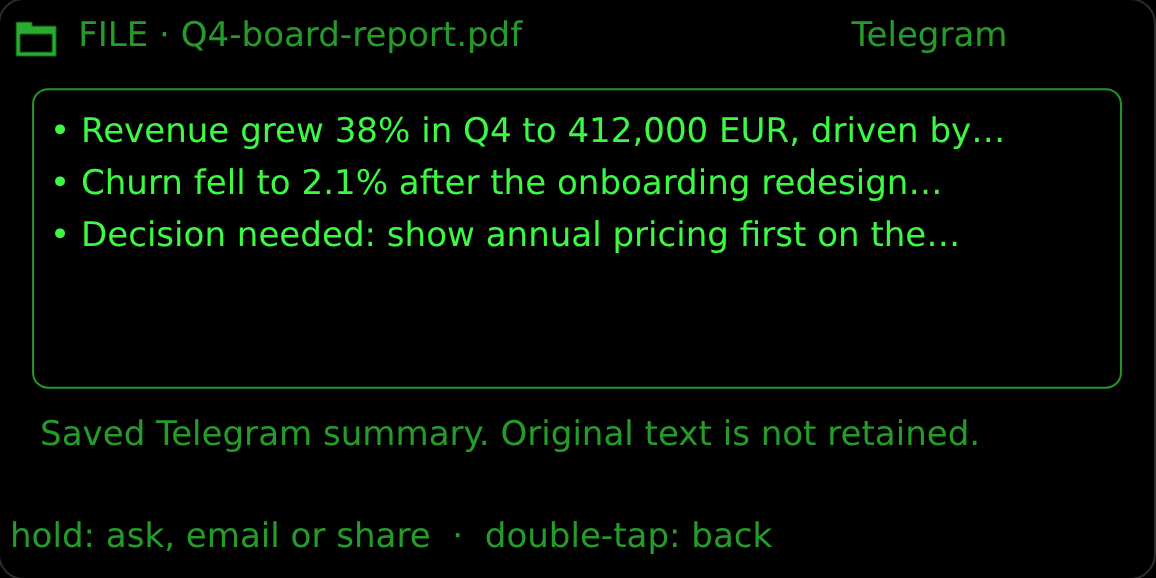
  6. A PDF arrives

    10:15

    A PDF arrives

    Tom sends the board report to the bot.

    Summary in Telegram and on the glasses

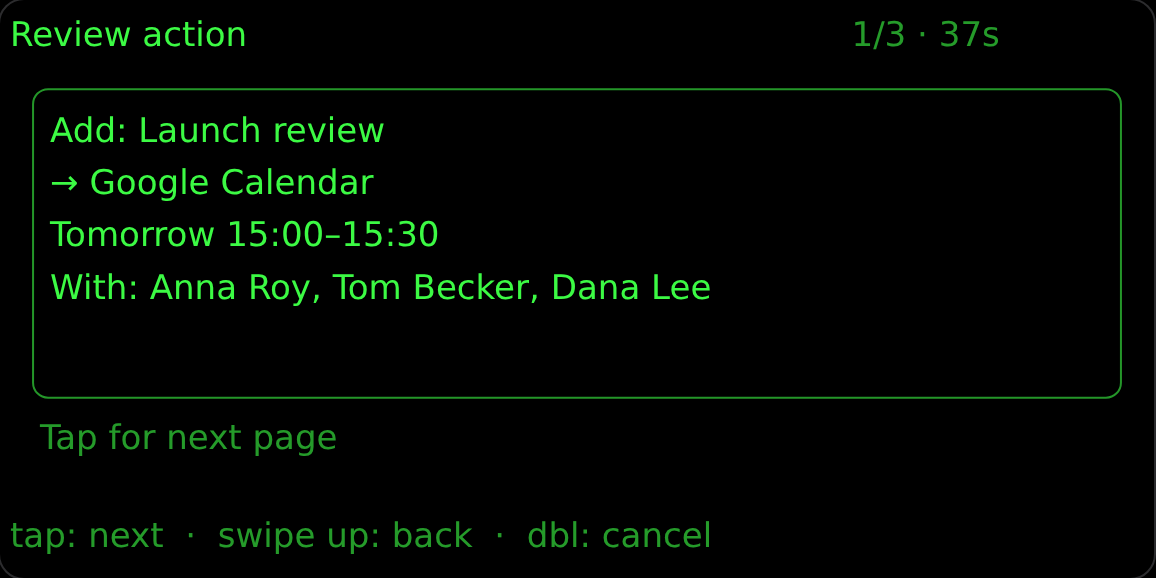
  7. Book the launch review

    10:20

    Book the launch review

    “Add a meeting launch review tomorrow at 3pm with the team.”

    Event, invitations by email, a post with @mentions

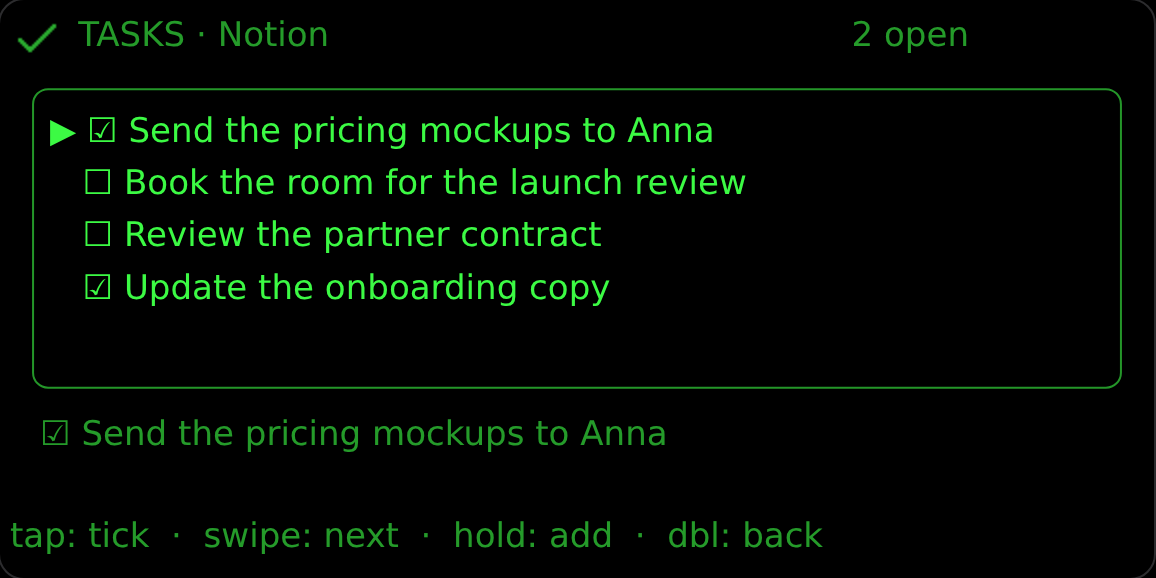
  8. Done

    10:21

    Done

    Tap “Send the pricing mockups”.

    Ticked in Notion

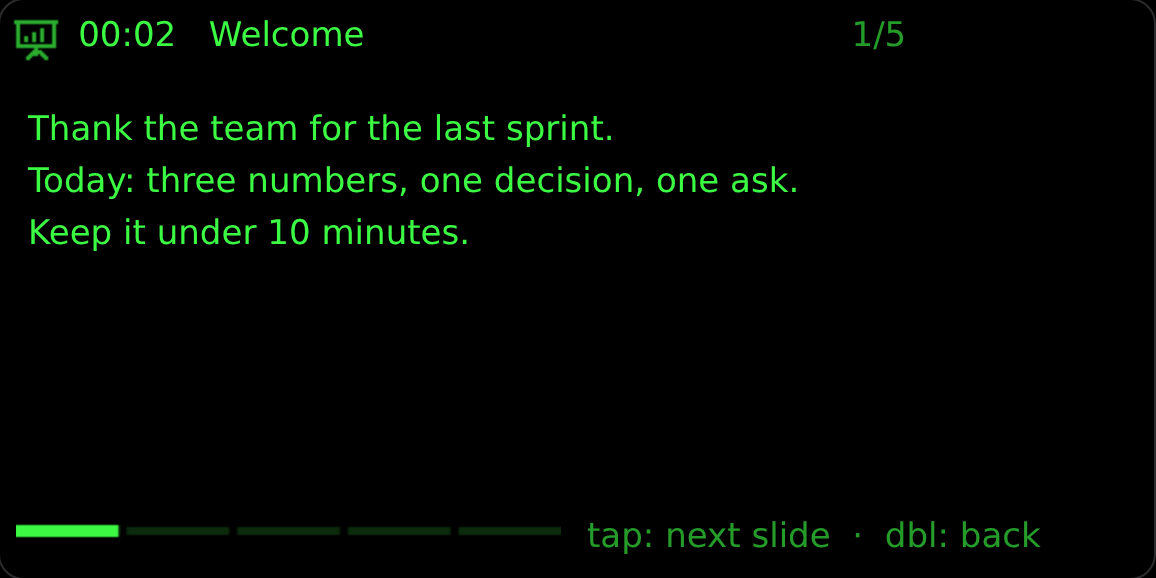
  9. Present

    17:00

    Present

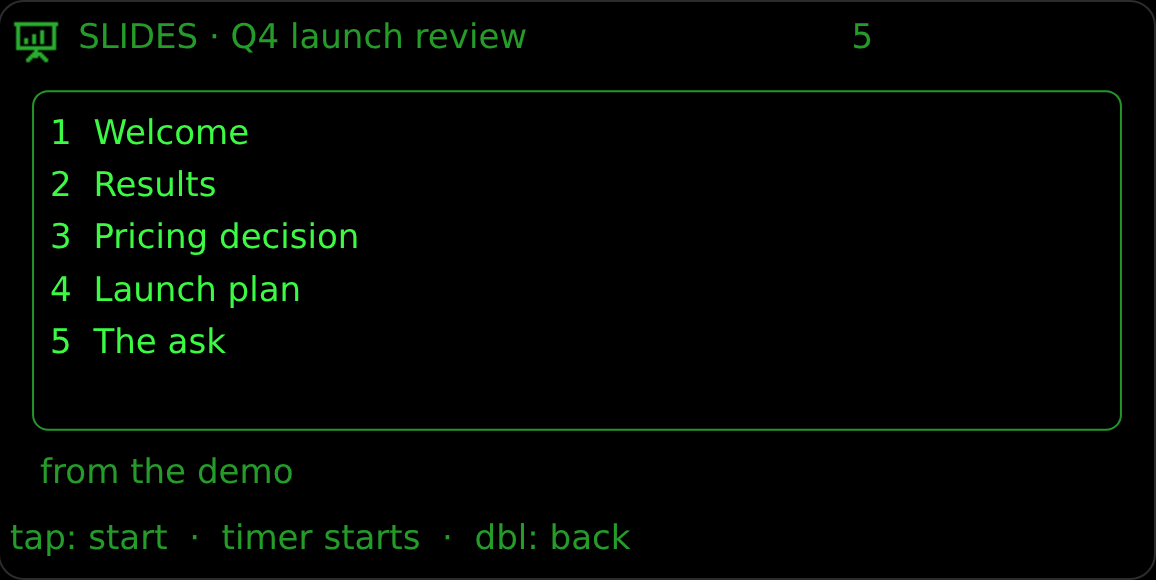
    Speaker notes, one slide at a time, with a timer.

    Sent earlier with /presentation

Run it in your browser

A minute on the glasses.

Read a meeting brief and a Drive summary. Watch the wearer review a Telegram reply, approve its destination and see the receipt. Recorded on the official Even Hub simulator with fictional work data.

Who it’s for

One assistant. Seven ways to work.

Compare priorities on the same fictional workspace. Each role changes what comes first, not what you can do. Try a daily brief or open the full demo and use the example command.

Know what needs your attention today.

Today shows up to three priorities with sources and reasons. Each role above opens its own daily brief on the same fictional workspace. Commands are examples to try, not automatic writes.

Features

Made for the moments between meetings.

Meeting brief

Before a meeting · Calendar, Notion, Drive, Gmail, Telegram

Three lines, with their sources.

Minutes to go, who and where. Tap for a brief built from Google Calendar, Notion, Google Drive, Gmail and Telegram. The last line names every source and the model that wrote it.

  • Tap · brief
  • Hold · ask
Week load

Planning the week · Google Calendar

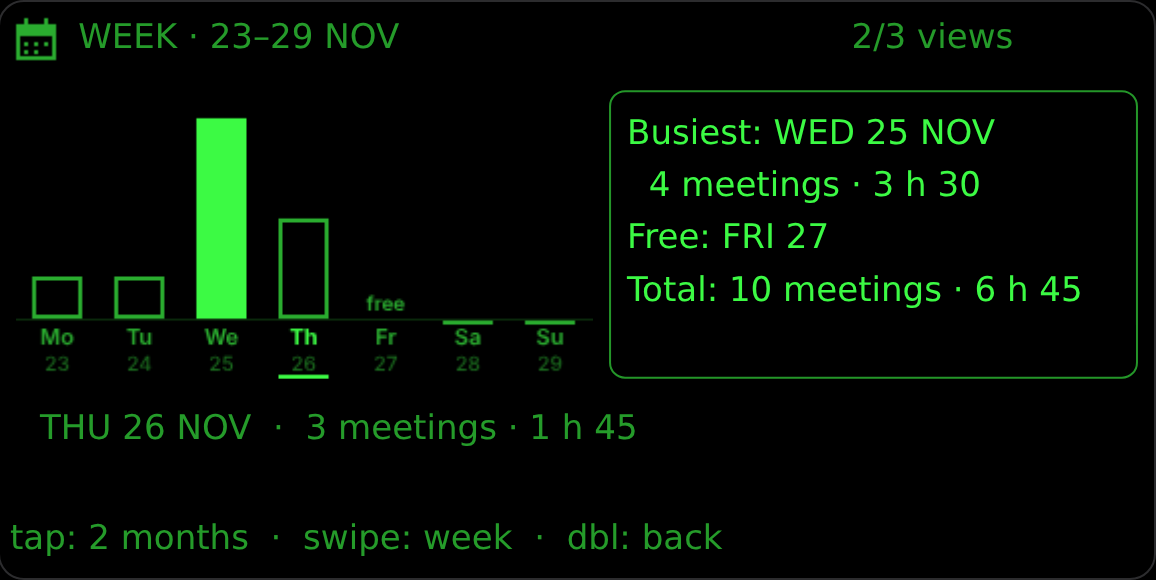
A calendar you read in two seconds.

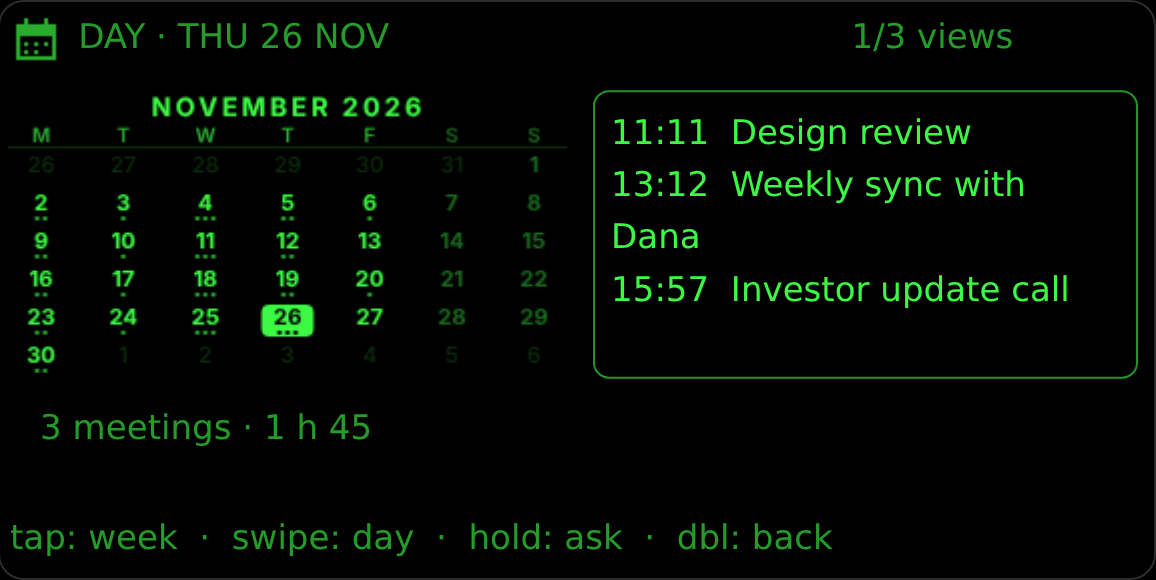
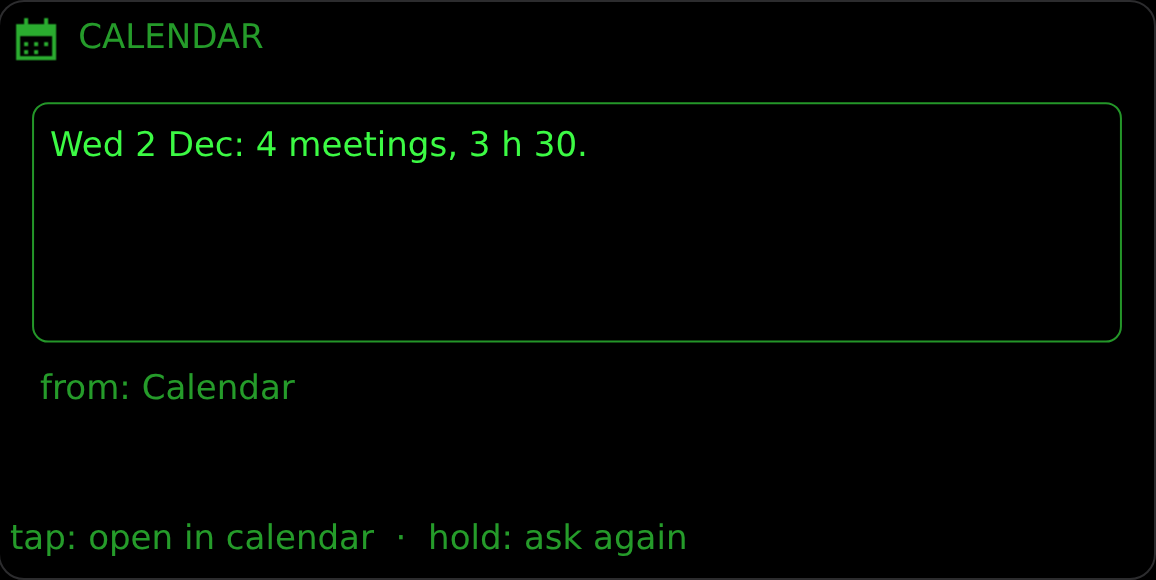
Month, week load, two months side by side. Ask “which day is busiest next week?” or “when am I free tomorrow?”. The answer is counted from your events, not guessed by a model.

  • “Which days are free?”
  • “Move my next meeting by 30 minutes”
An email with its triage rule

Inbox in 30 seconds · Gmail

Gmail, sorted by what to do.

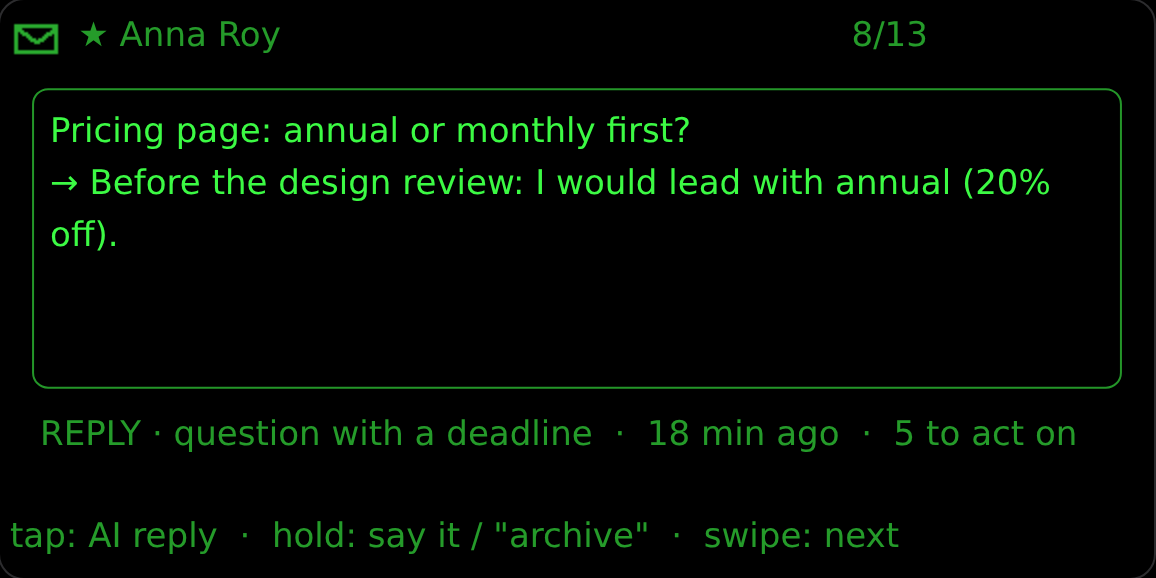
One email per glance, with the named rule that sorted it: REPLY, ACT, READ or ARCHIVE. Tap for an AI reply in the thread, or hold and say the gist.

  • Tap · AI reply
  • “Archive”
A Telegram voice note as text

Messages · Telegram

Only the chats you picked.

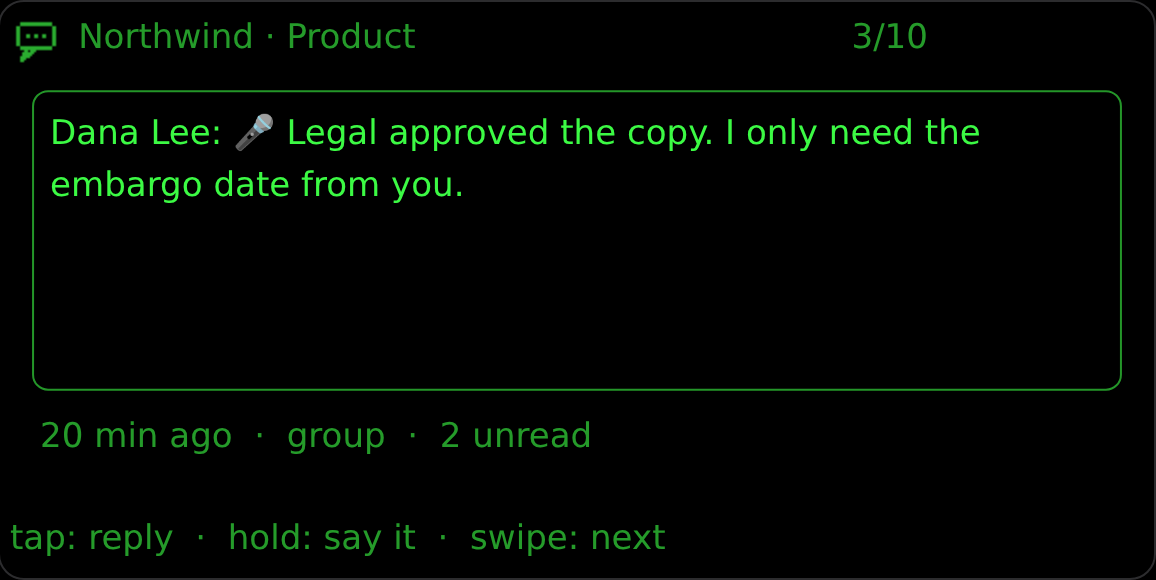
Groups, topics, channels. Voice notes arrive as text. Tap for an AI draft; YES replies to that exact message.

  • “Yes, 3pm works”
  • YES · sent in place
Notes ready to share

During the meeting · notes to Telegram

Notes by voice, shared to the team.

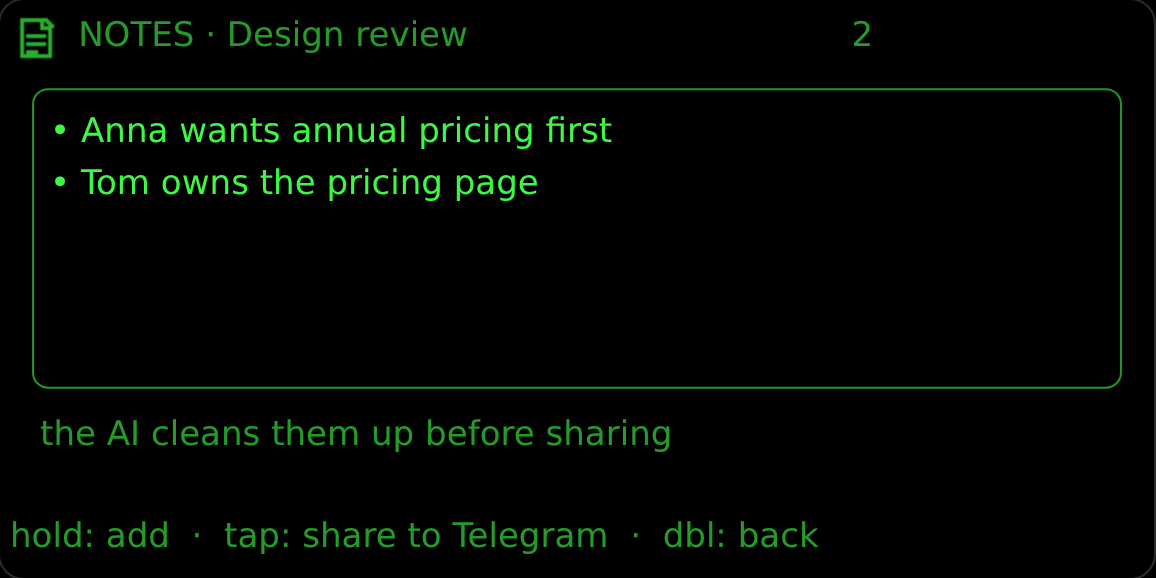
“Note: Tom owns pricing.” Notes attach to the meeting and stay private. “Send notes to Northwind”: the assistant writes a summary with next steps, YES posts it in the group.

  • Hold · note
  • YES · posted in Telegram
Presenter notes

On stage · /presentation

Speaker notes, without paper.

Send them to the bot with /presentation. On the glasses: one slide at a time, a timer, a progress bar. Tap for the next page.

  • /presentation
  • Tap · next
Files from Telegram and Drive

Files · Telegram + Drive + AI

Every file, summed up. Forward it with a tag.

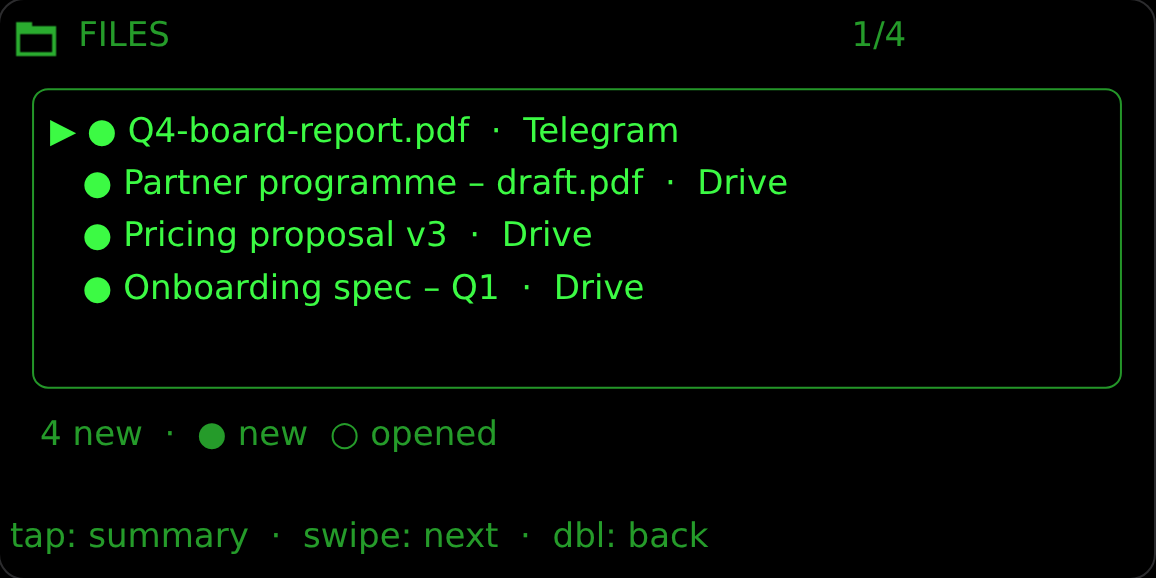
Send a PDF, Word, PowerPoint or text file to the bot, or keep it in a Drive folder. Menu → Files: new ones are marked, tap shows the summary. Hold and say “to the team, tag Anna: check the numbers”: YES forwards it in the team group.

  • 📎 PDF · .docx · .pptx · .txt
  • ● new · ○ opened
  • Hold · forward
A new meeting to confirm

Team · Calendar + Gmail + Telegram + Notion

Meetings, emails and tasks for the team.

“Add a meeting launch review tomorrow at 3pm with the team”: the event, invitations by email and a post in the group with each @name. “Email the team the design review page”, “remind the team about …”, “tick send the mockups”. Your team is a list of contacts you set once.

  • Invite · move · remind
  • Tasks · tap to tick

On the glasses

One thing per screen.

Black is see-through, so few pixels are lit. A header, one card, one line, the gestures.

Month and agenda
Busiest day
YES / NO
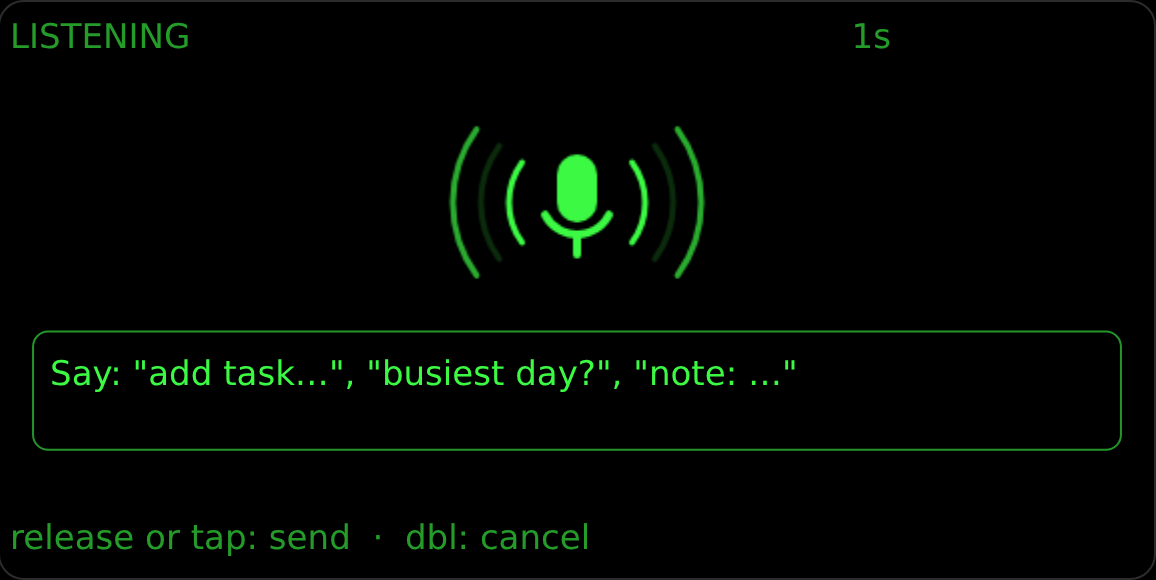
Listening
Meeting notes
Slides
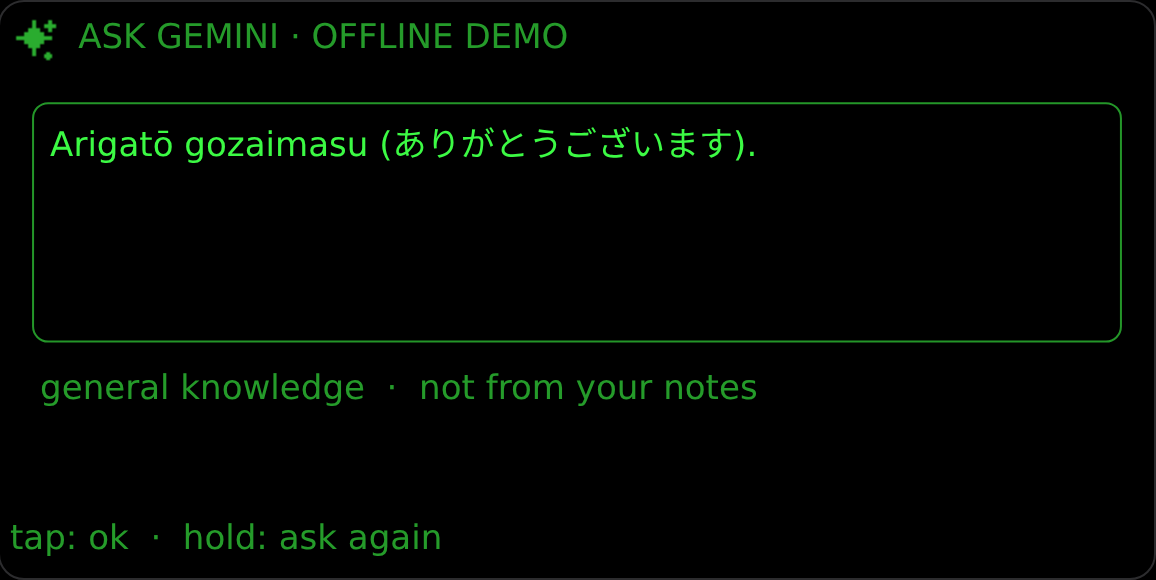
Labelled answer
Notion tasks
File summary
Tap open · choose Swipe next Hold speak Double-tap back · cancel

How it works

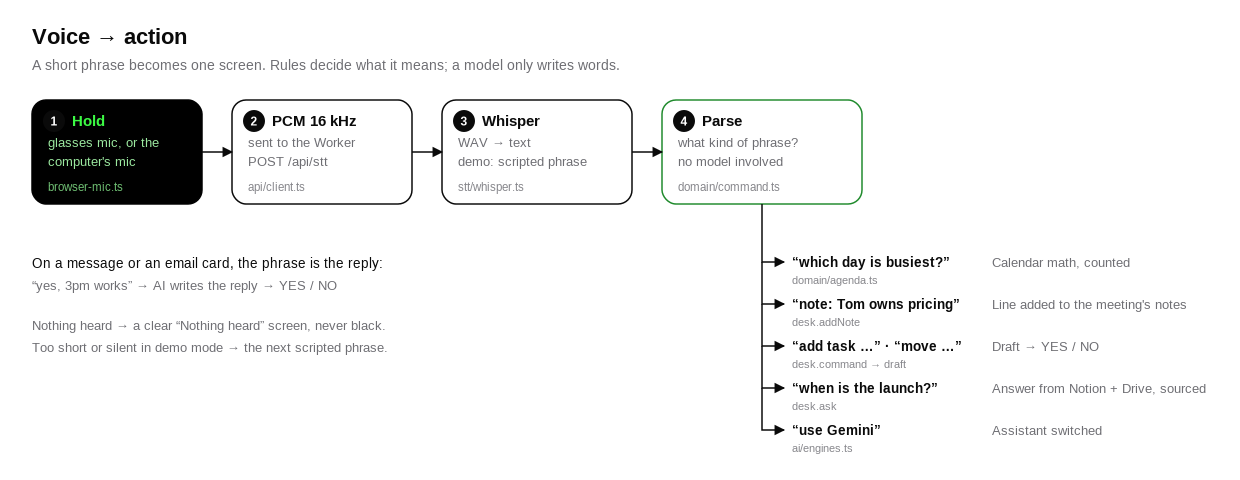
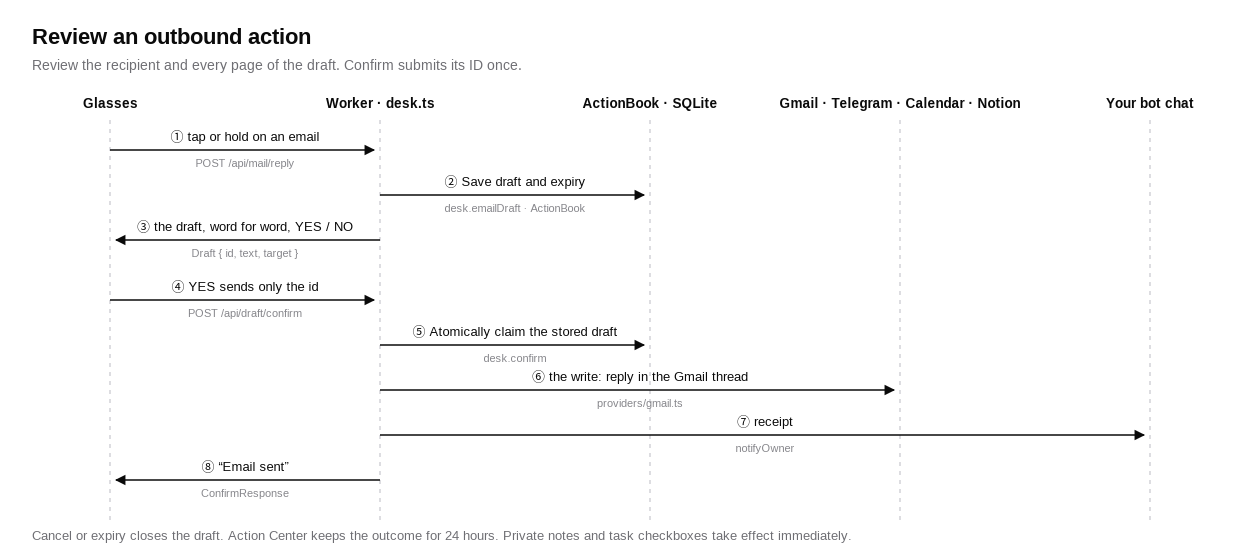
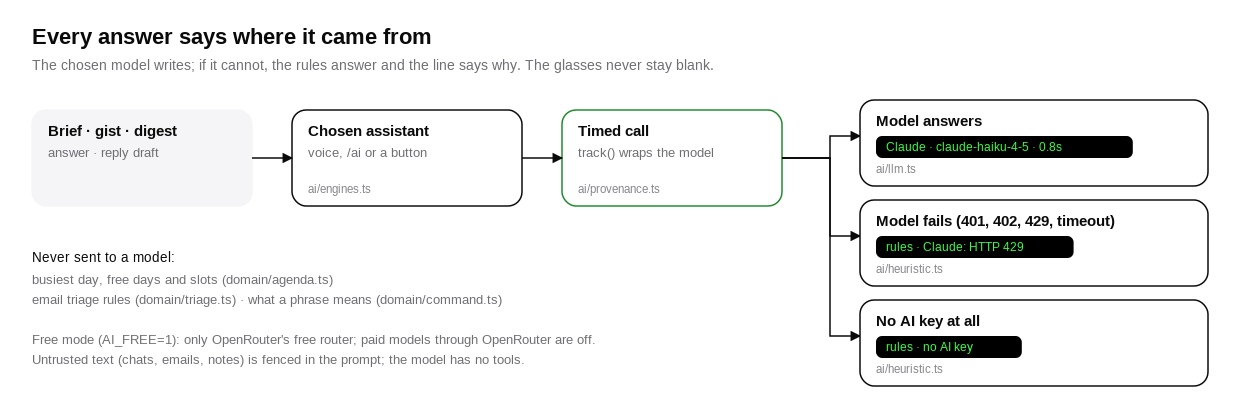
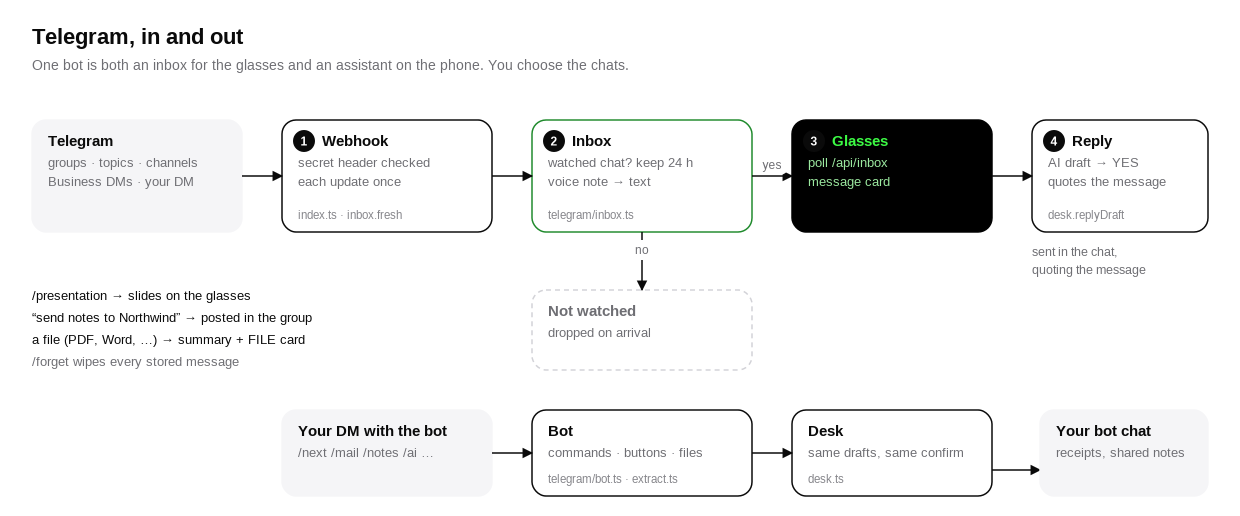
From a phrase to a sent reply.

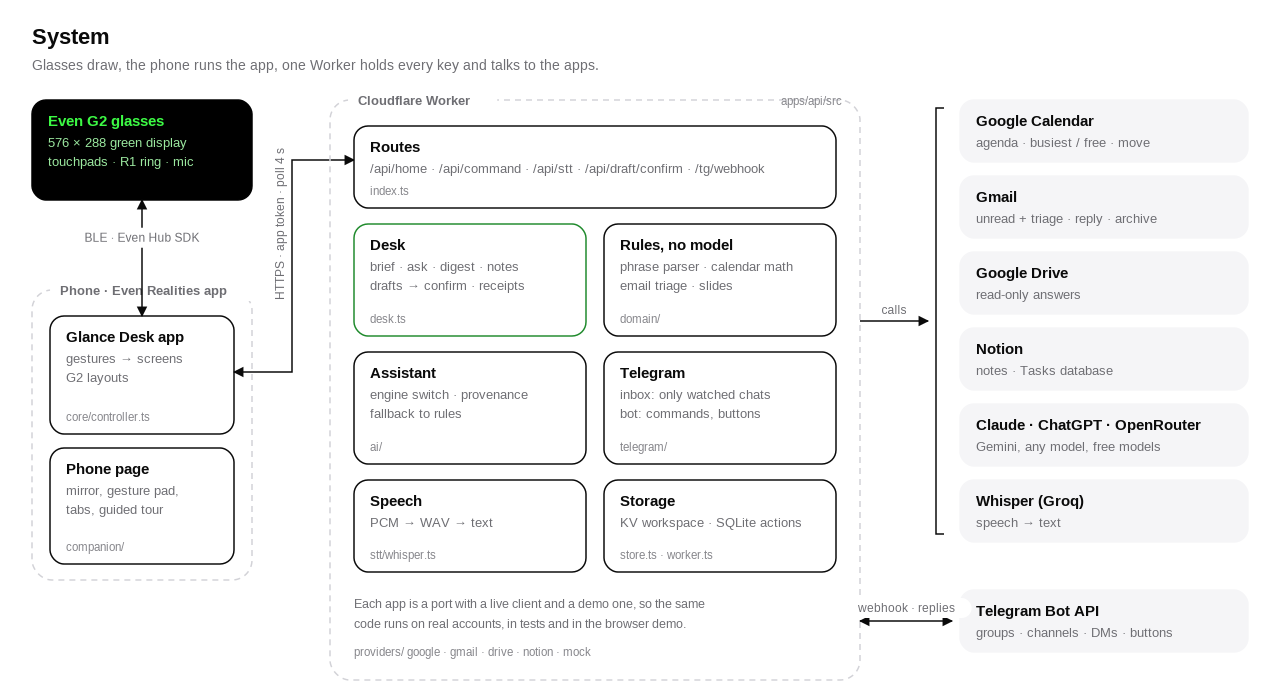
Every box names the file that does it, so you can go from the picture to the code.

System: glasses, phone app, Cloudflare Worker, and the apps it calls
Voice to action
Voice → action. Rules decide what a phrase means; a model only writes words.
Draft, YES, receipt
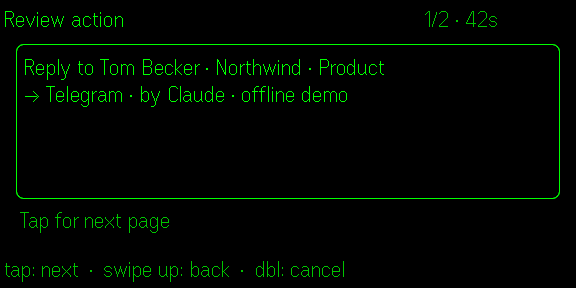
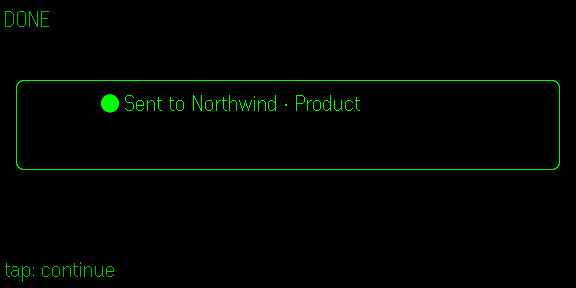
Review before delivery. Read the destination and complete draft before confirming its single-use ID.
Provenance and fallback
Every answer says where it came from. If the model fails, the rules answer and say why.
Telegram in and out
Telegram in and out. Only watched chats are kept; the bot uses the same drafts.

Best Telegram integration

Your assistant, also in your pocket.

The same assistant answers in your private chat with the bot, with buttons for every write. A YES on the glasses leaves a receipt there.

/next /brief next meeting, 3-line brief
/mail emails worth acting on, ✍️ Reply · 🗄 Archive
/calendar busiest or free day, counted
/notes meeting notes, 📤 share to a group
/presentation speaker notes for the glasses
/actions review pending drafts and recent outcomes
/ai Claude · ChatGPT · Gemini, one button each
/watch /forget pick the chats · clear stored messages
Demo Telegram draft review Demo action receipt

Trust

Built so you can rely on it.

Review a draft before sending

Replies, archives, new tasks, shared notes and calendar changes open for review. Double-tap to cancel. Checking a task or dictating a private note takes effect immediately.

Every answer is labelled

Engine, model and time on each answer. If the model fails, the rules answer: rules · Claude: HTTP 401.

You choose the chats

Everything else is dropped on arrival. Messages expire after 24 h, notes after 12 h. /forget clears stored inbox messages.

Keys stay on the server

The glasses app holds none. Gmail is never deleted from; Drive is read-only. Audio is not stored.

Email triage · first match wins

  1. question with a deadlineREPLY
  2. direct questionREPLY
  3. document to sign or payACT
  4. for your informationREAD
  5. automated senderARCHIVE

Get started

Three ways to try it.

In your browser

The real app and API code, on demo data, with a guided tour.

Start the tour

In the simulator

API, app and the Even Hub simulator together.

npm install
npm run demo:sim:linux

With your accounts

Free AI, paid keys or none: the setup asks.

npm run setup
npm run verify
npm run dev:sim:linux

Real glasses: download the demo package and install it as a private build from Even Hub.

Who runs it?

The personal edition is self-hosted. A managed team service with hosted setup and administration is a proposed paid offering. The demo uses fictional data and runs entirely in the browser.